
 By Keven Galolo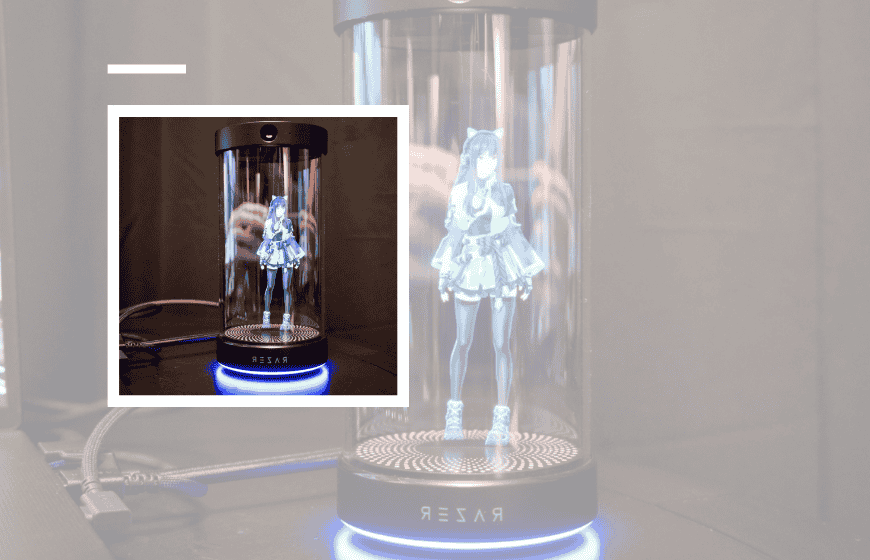
The idea of an AI sitting on your desk watching you game sounds impressive until you ask yourself whether you actually want it there.
The First Reaction Most People Had to Razer Ava
Imagine this. You’re chatting online, talking to someone new, passing time, keeping the conversation going the usual way. For most people, that’s still the normal experience. But at the same time, there’s a growing shift where some users are starting to rely on AI companions instead—something that can assist, suggest, or even replace parts of that interaction.
Now shift that idea. You’re gaming, maybe mid-match, and a 3D holographic avatar flickers to life inside its glass cylinder on your desk or directly on your PC screen. It’s not just reacting to what you do—it’s advising you, suggesting strategies, maybe even commenting on your performance. At first, it feels futuristic. Then, a second thought creeps in. Do I need this, or is this just another layer of noise?
That tension is exactly what defines the early reaction to the Razer AI companion. When Razer introduced Ava at CES, the response wasn’t immediate excitement. It was hesitation, curiosity, and a surprising amount of skepticism.
Razer Ava is an AI companion designed for gaming and productivity that observes user behavior, offers real-time suggestions, and adapts over time. Unlike traditional AI tools, it remains persistently visible, acting as a proactive assistant rather than a reactive system.
What the Razer AI Companion Actually Is
Razer Ava is positioned as an AI companion built around gaming and daily productivity. It combines elements of a gaming assistant, a personal coach, and a customizable avatar layered on top of your digital environment. The idea is simple on paper: instead of switching between tools, the assistant stays with you, adapting to what you’re doing in real time.
Technically, it leans on a few key components. There’s avatar customization, which allows users to change how the assistant looks and behaves. There are agentic abilities, meaning it can take actions or suggest decisions rather than just respond passively. And there’s cross-platform support, which extends its use beyond games into general desktop interaction.
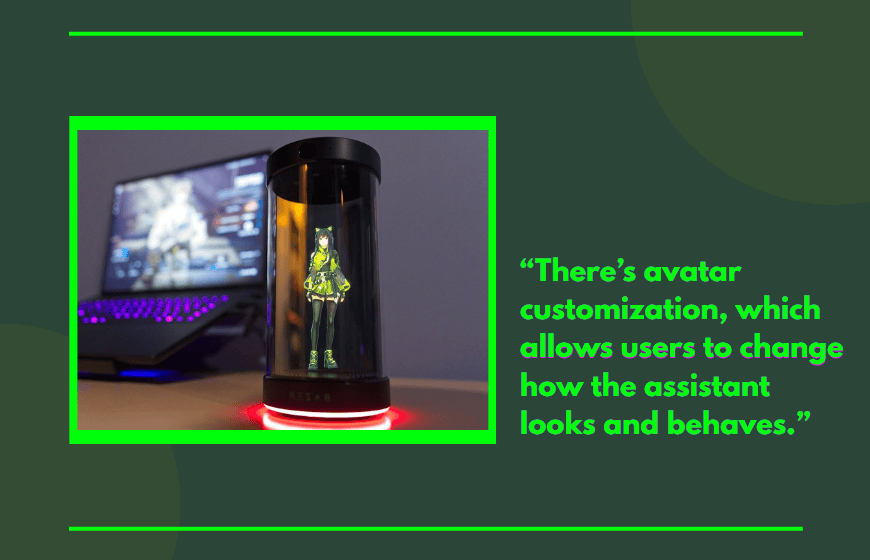
The headline feature, though, is how it interacts. It’s designed to observe, respond, and guide, whether that’s through strategy advice in games or reminders and suggestions during everyday tasks.
The Technology Behind Razer Ava and Hologram-Style Interaction
The visual layer of Razer Ava is what makes it stand out. Instead of a traditional interface, it uses hologram-style presentation, placing a character-like assistant into your space. This is less about true hologram technology and more about how the interface feels—persistent, visible, and interactive.
Underneath that is a machine learning system that adapts to user behavior. Over time, the assistant is supposed to learn how you play, how you work, and how you respond to suggestions. That’s where the idea of a real-time strategy advisor comes in. It’s not just reacting to static inputs. It’s adjusting based on patterns.
There’s also an attempt to expand beyond gaming. Razer frames it as a personal wellness coach in certain scenarios, capable of nudging users about breaks, habits, or performance patterns. Whether that feels helpful or intrusive depends entirely on the user.
How the Razer AI Companion Works in Real Use
In gaming scenarios, Ava acts as a layer between you and the game. It can suggest tactics, highlight mistakes, or offer guidance based on what’s happening in real time. The goal is to reduce friction and improve performance without requiring external tools or guides.
Outside gaming, the functionality shifts. It can assist with scheduling, reminders, or general desktop interaction. This is where the cross-platform support becomes relevant. Razer is not positioning Ava as a single-use feature, but as something that follows you across tasks.
Early impressions suggest that the experience depends heavily on expectations. If you treat it as a background assistant, it feels useful. If you expect it to be seamless, it can feel distracting.
What People Are Actually Saying About Razer Ava
The reaction from early viewers and communities has been mixed, and not in a subtle way. Many people didn’t take it seriously at first. The concept of an AI companion with a visible avatar felt closer to a concept demo than a finished product.
There’s also a clear discomfort around the idea of a system that can see and hear what you’re doing. Even if the functionality is limited, the perception matters. Users immediately question privacy, data use, and how much control they actually have.
At the same time, there’s a quieter group that sees potential. The idea of a real-time assistant that adapts to your behavior is not new, but integrating it directly into gaming and daily workflows is. Even skeptics tend to admit that if done correctly, there could be a real use case.
Why the Razer AI Companion Feels Different From Other AI Tools
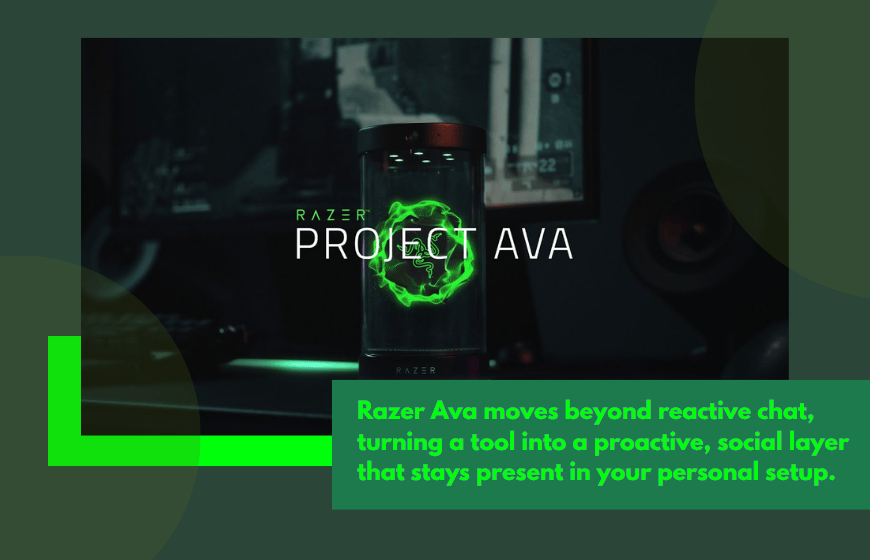
Most AI tools today are reactive. You ask a question, you get an answer. Razer Ava is trying to shift that model toward something more persistent and proactive.
That’s where the concept of an AI companion becomes important. It’s not just a tool you open. It’s something that stays present. That changes the relationship between user and system in a way that many people are not fully comfortable with yet.
There’s also a cultural factor. Gaming setups have always been about performance and customization. Adding an AI layer introduces something more personal, almost social, into that environment. Not everyone wants that shift.
The “Yeah, But” Questions Most People Have
There are a few obvious concerns that come up immediately.
Yes, it sounds useful, but does it actually improve gameplay or just add distraction?
Yes, it can guide you, but do you want constant feedback while playing?
Yes, it can observe patterns, but what exactly is it collecting in the process?
These questions are not technical. They’re behavioral. They reflect how people feel about having something that is always present and always aware of what they’re doing.
Where Razer Ava Fits in the Bigger AI Trend
Razer Ava is not an isolated idea. It’s part of a larger shift toward AI that feels more human-like and more integrated into daily life. Instead of tools that sit in the background, companies are building systems that stay visible and interactive.
This is where the concept of agentic abilities becomes relevant. The more autonomy these systems have, the more they move from being tools to being companions. That shift is subtle, but it changes how people react to them.
Gaming is a logical entry point for this. It’s already interactive, already digital, and already personalized. But it also means users are more sensitive to anything that disrupts immersion.
What Happens If This Direction Becomes Normal
If AI companions like Ava become common, the way people interact with technology will change. Instead of opening apps, you’ll interact with a persistent system that follows you across tasks.
That could make things easier. It could also make systems feel more intrusive. The line between assistance and interruption becomes thinner the more visible the AI becomes.
There’s also a longer-term effect. As users get used to AI guidance, their expectations change. What feels unnecessary today might feel standard in a few years.
So Is the Razer AI Companion Actually Worth It?
Right now, the Razer AI companion sits in an early stage. It’s interesting, but not fully proven. It introduces ideas that feel ahead of what most users are comfortable with, even if the technology itself is not entirely new.
For some users, especially those who like experimenting with new tech, it will feel like a natural extension of their setup. For others, it will feel like something they don’t need, or don’t trust yet.
So What’s the Real Question Behind Razer Ava?
If an AI can watch, guide, and adapt to everything you do, the real question isn’t whether it works—it’s whether you actually want that kind of presence in your space.
FAQs
What is Razer Ava?
Razer Ava is an AI companion designed to assist users in gaming and everyday tasks through real-time suggestions and adaptive behavior.
How does the Razer AI Companion work?
It observes user activity, analyzes patterns, and provides suggestions or guidance while remaining visible on screen.
Is Razer Ava always active?
It is designed to be persistent, meaning it stays active and visible during gameplay and other tasks.
Why are users skeptical about Razer Ava?
Many users are concerned about privacy, constant monitoring, and whether the assistant adds value or distraction.
Is Razer Ava different from other AI tools?
Yes, it focuses on proactive interaction and continuous presence rather than responding only when prompted.